> ## Documentation Index
> Fetch the complete documentation index at: https://docs.streamoid.com/llms.txt
> Use this file to discover all available pages before exploring further.
# Welcome to the CXO Suite
> Discover Streamoid’s unified workspace for fashion retail — where design, imagery, and catalog management come together.
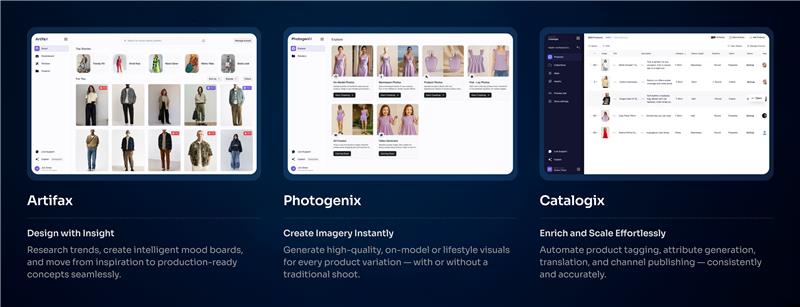
The **Streamoid CXO Suite** connects design ([Artifax](/apps/artifax/getting-started-with-artifax)), imagery ([Photogenix](/apps/photogenix/getting-started-with-photogenix)), and catalog operations ([Catalogix](/apps/catalogix/getting-started-with-catalogix)) in one workspace — so you can ship collections faster, with consistent quality across every channel.
***
## Why teams choose the CXO Suite
* **Unified workflows** — move from design to photography to listings without switching contexts.
* **AI at every stage** — ideate, generate images, and enrich product data automatically.
* **Collaboration-first** — creative and Catalog ops work in one shared workspace.
* **Consistent quality** — taxonomy-driven content + on-brand visuals across channels.
***
## Kickstart your workspace
1. **Sign up or log in** at [app.streamoid.com/login](https://app.streamoid.com/login).
2. **Create your workspace** and invite teammates.
3. **Open an app** ([Artifax](/apps/artifax/getting-started-with-artifax), [Photogenix](/apps/photogenix/getting-started-with-photogenix), or [Catalogix](/apps/catalogix/getting-started-with-catalogix)) from the CXO dashboard.
4. **Ship your first flow** — concept → imagery → listing.
Start with a small sample set (10–20 products). Test your end-to-end flow, then scale with imports, automations, and exports.
***