> ## Documentation Index
> Fetch the complete documentation index at: https://docs.streamoid.com/llms.txt
> Use this file to discover all available pages before exploring further.
# Getting Started
> Launch Artifax, choose inspiring brands, and enter your creative workspace.
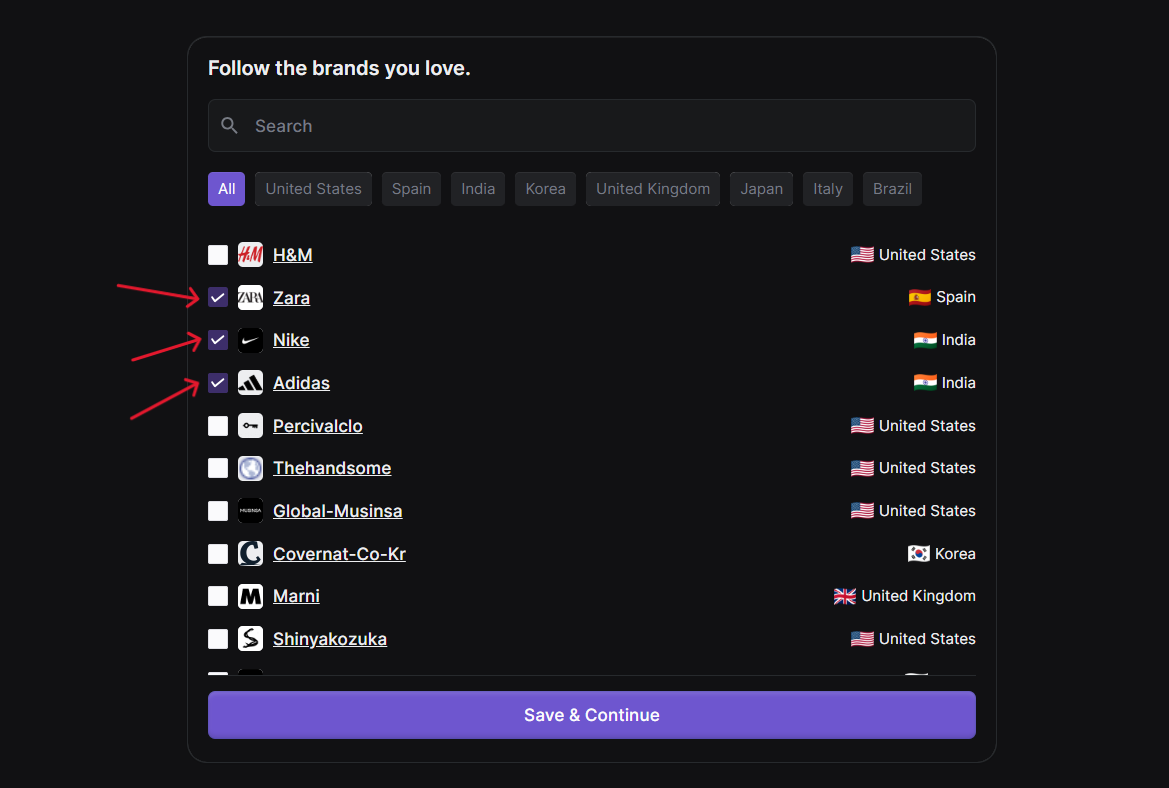
Your first stop in ArtifaX is the **Brand Selection Screen**, where you define which fashion brands inspire your workspace.
Use the **Artifax shortcut arrow** on the CXO dashboard to open the app.
Select up to 3 brands to follow — this helps personalize your inspiration stream.
Click **Save & Continue** to confirm preferences and unlock your main ArtifaX workspace.
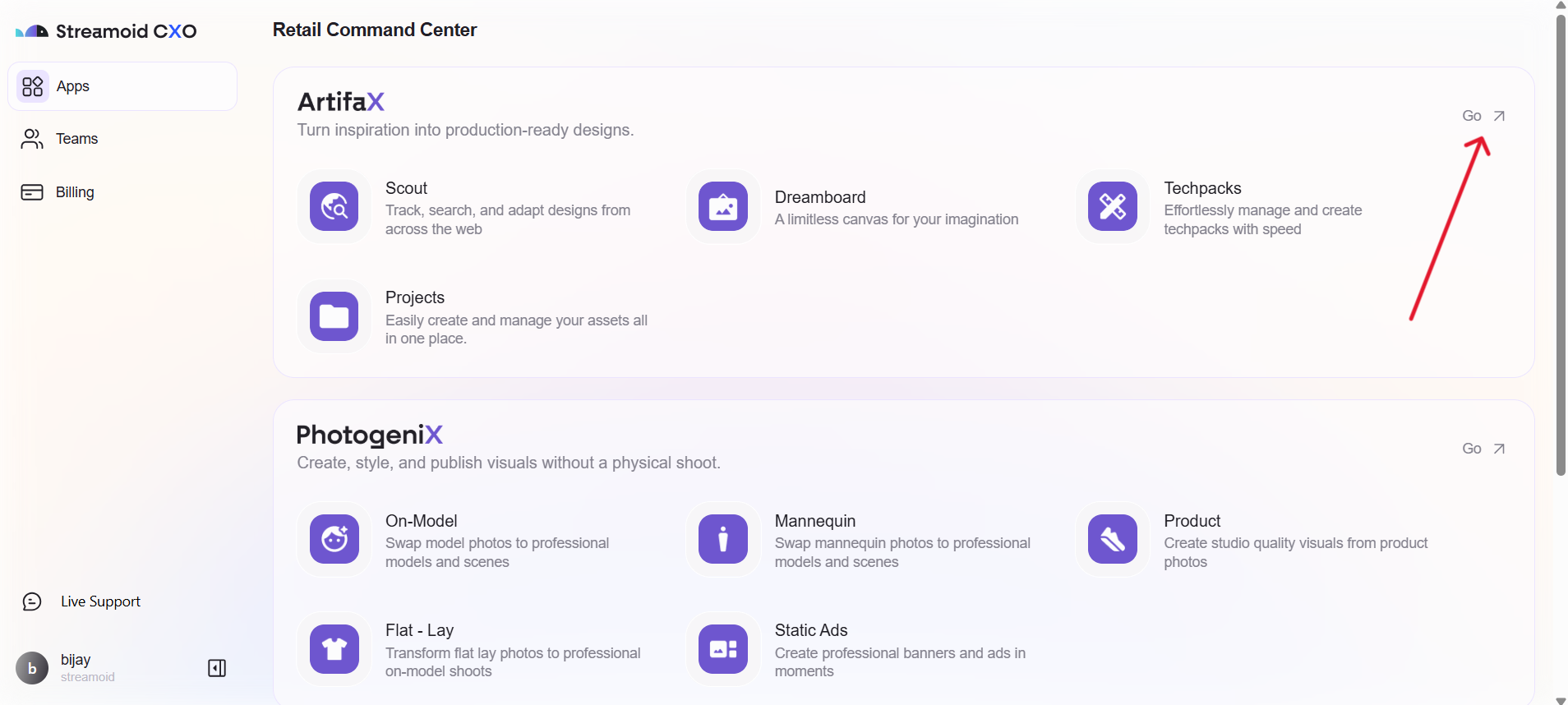
Selecting a mix of leading, competitor, and niche brands helps balance your inspiration feed.